Complete the Comment Form
The Create New Public Comment form collects what your comment is about, who you are, and the comment itself. Fields marked with * are required.
Open the form from the landing page or your dashboard. See Open the Comment Form.
Comment Details
-
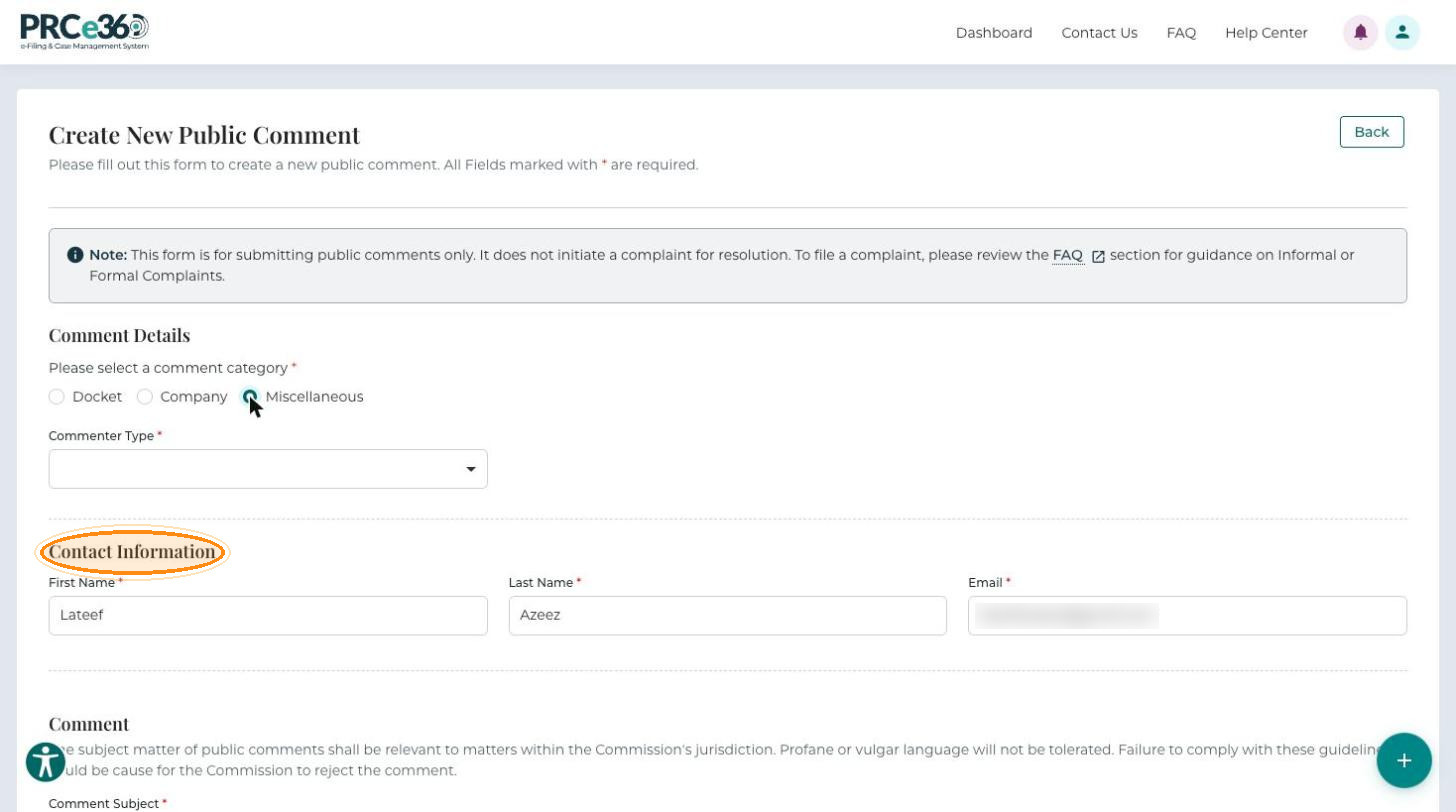
Under Please select a comment category, choose Docket, Company or Miscellaneous. The form shows the fields that match your choice.
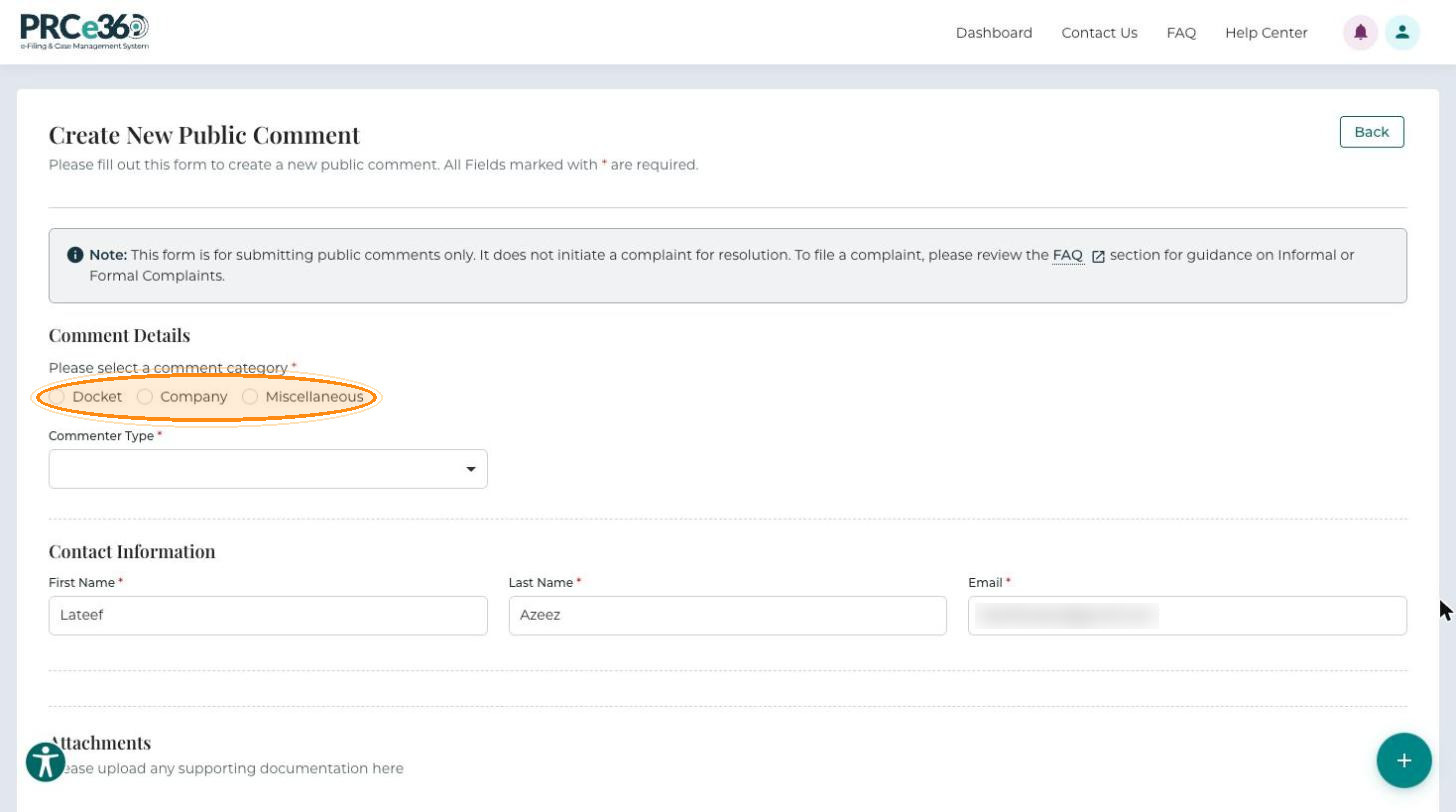
-
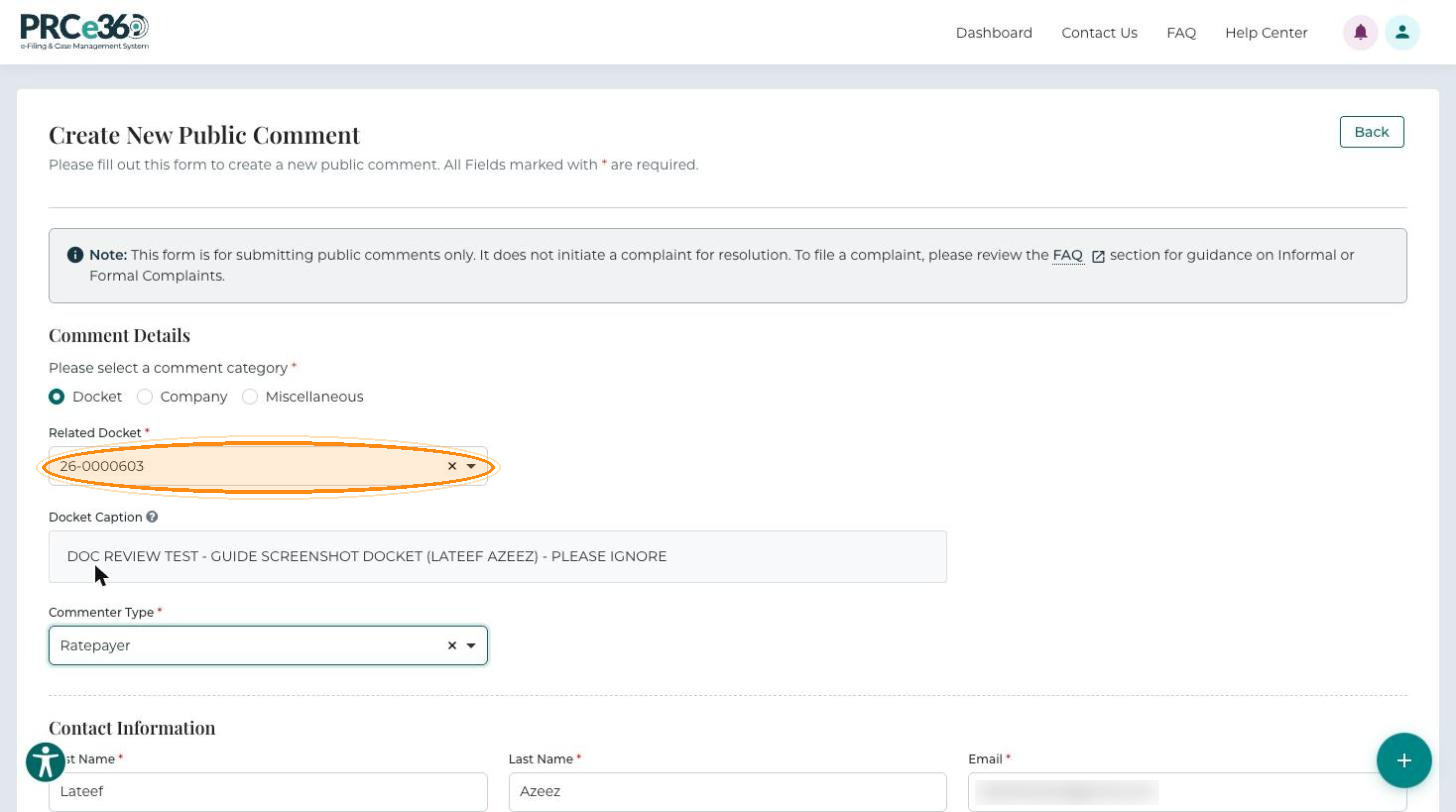
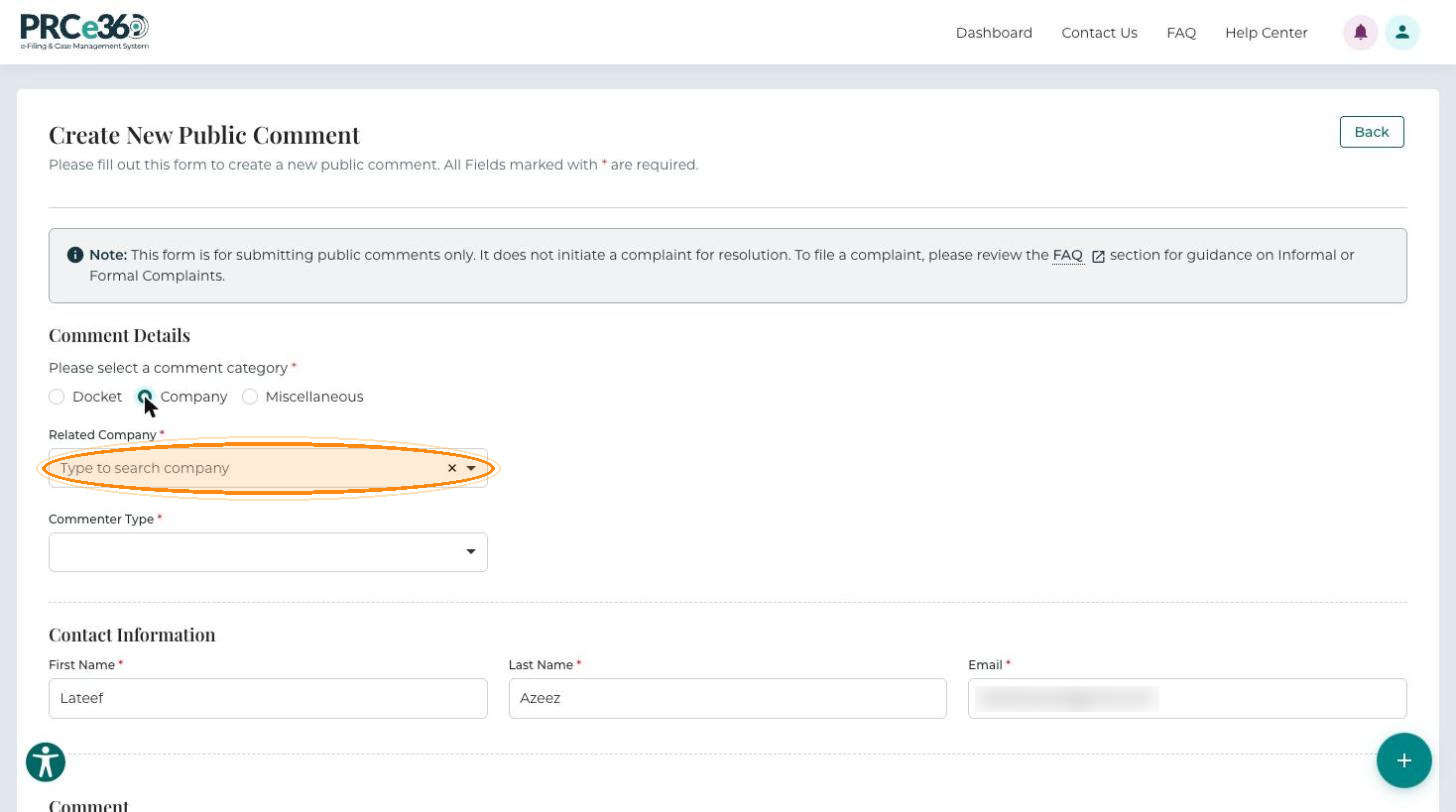
Complete the fields for your category:
- Docket: type in Related Docket to search for and select the docket number. The Docket Caption of the selected docket is shown below it.
- Company: type in Related Company to search for and select the company.
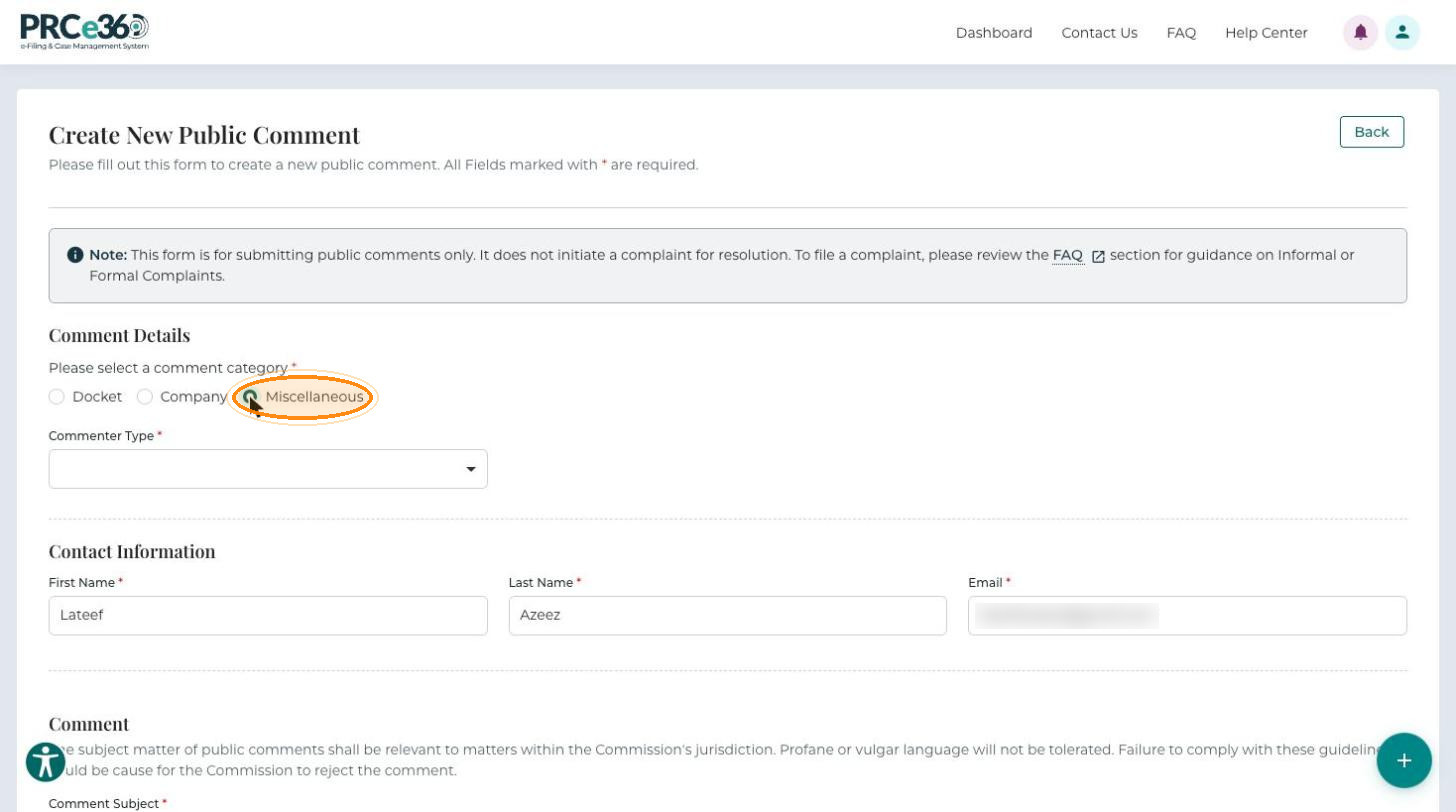
- Miscellaneous: no docket or company is needed.
-
Select the Commenter Type: Ratepayer, Utility or Other Stakeholder. It is required for every category.
Contact Information
-
Enter your First Name, Last Name and Email (all required). Use an email address you check: it is the primary address for communication about your comment. If you are signed in, these fields are filled in from your profile.
-
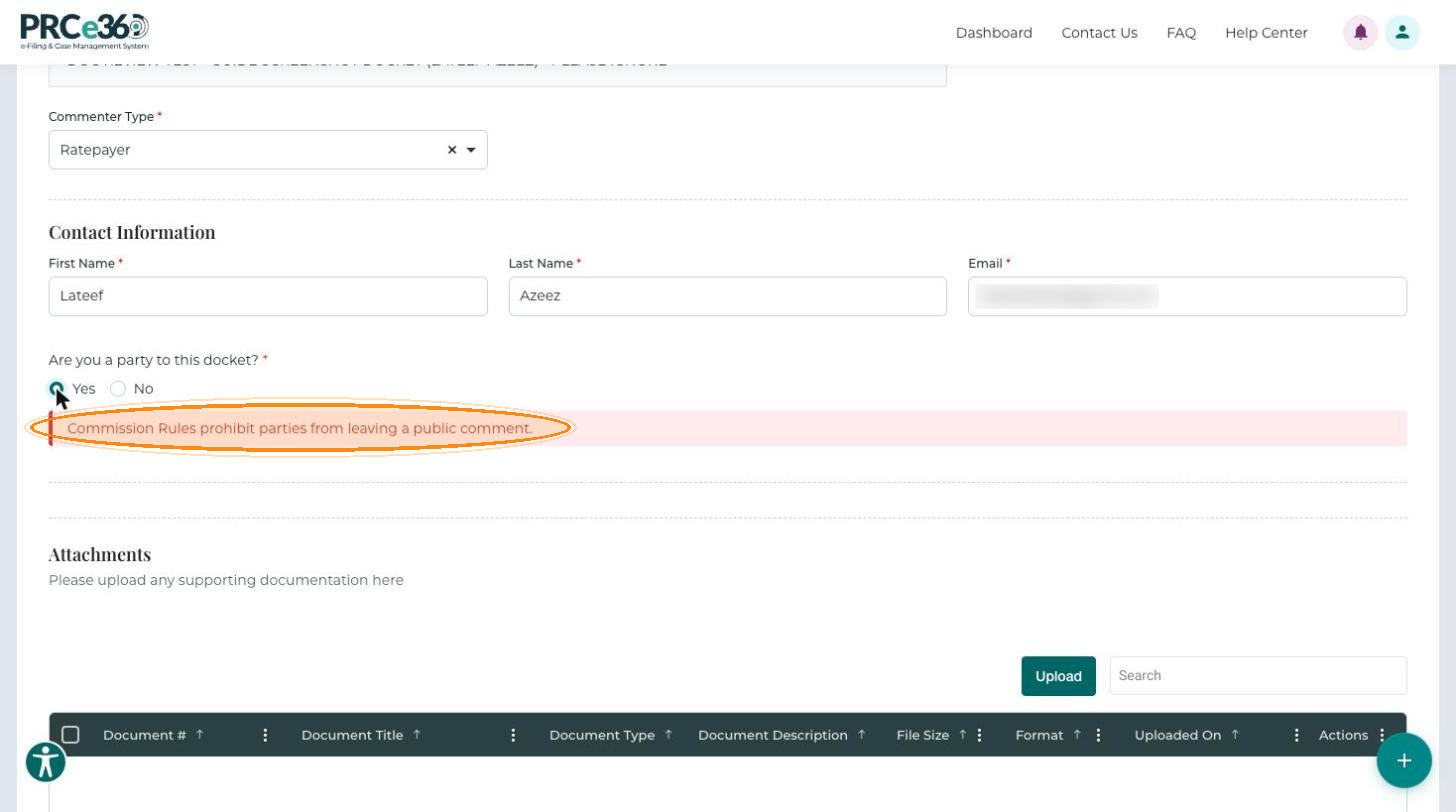
For a Docket comment, answer Are you a party to this docket? (required):
- No – the Comment section appears and you can continue.
- Yes – the form shows "Commission Rules prohibit parties from leaving a public comment." and you cannot submit a public comment. Parties file into the docket instead; see File Into Existing Docket.
Comment
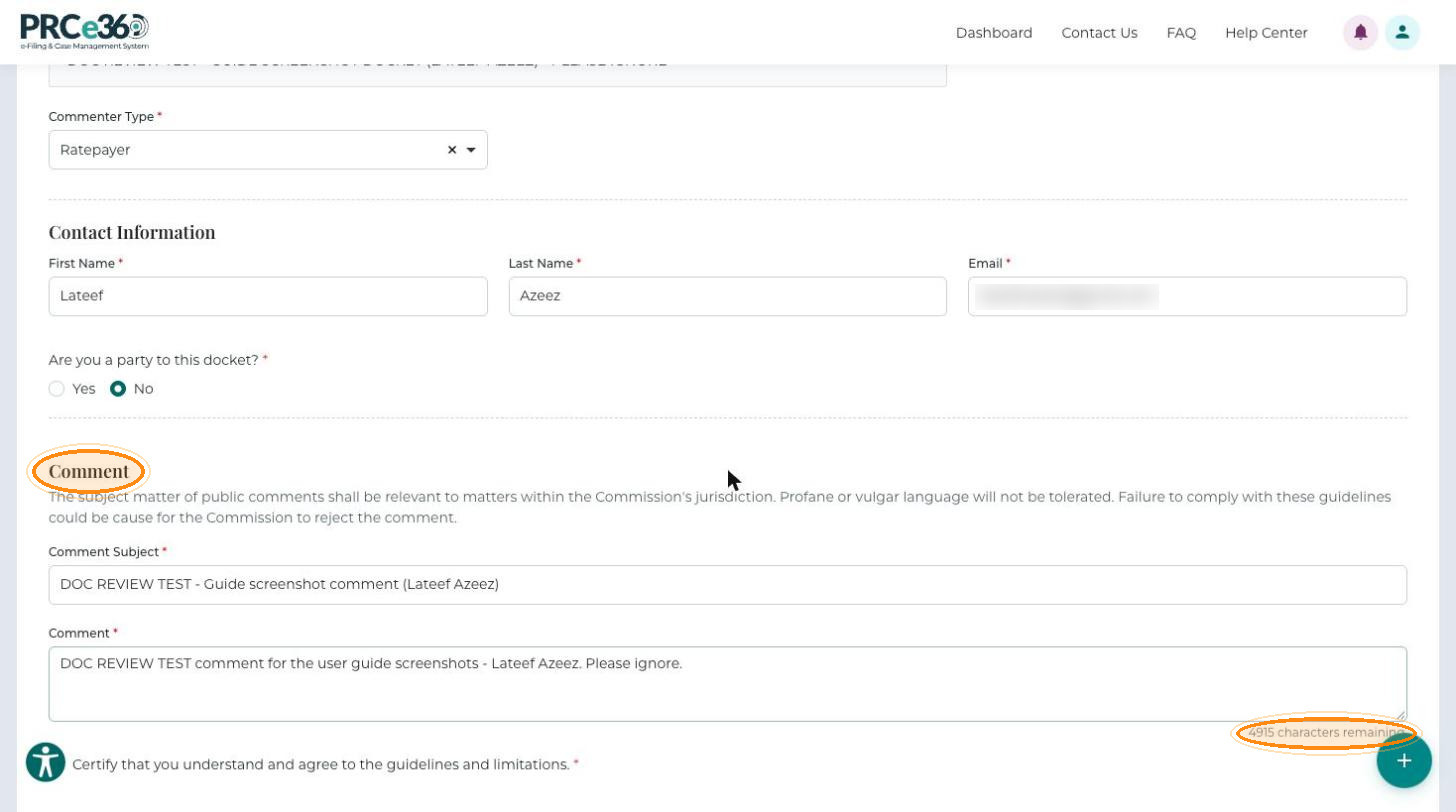
Comments must relate to matters within the Commission's jurisdiction. Profane or vulgar language is not tolerated, and the Commission may reject a comment that does not follow these guidelines.
-
Enter a Comment Subject: a brief, specific title for your comment (required).
-
Enter the full text in Comment (required, up to 5,000 characters). A counter below the box shows how many characters remain.
-
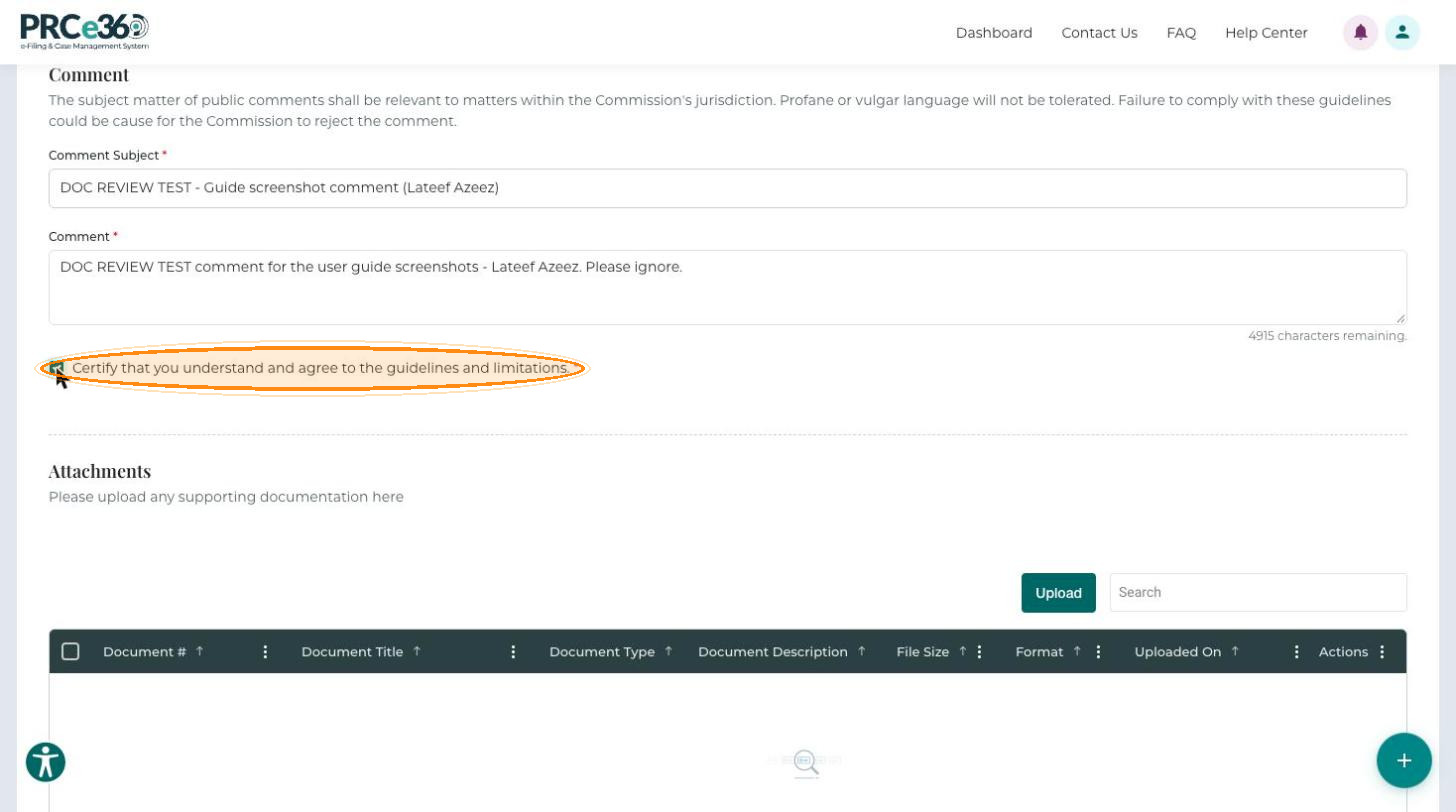
Select Certify that you understand and agree to the guidelines and limitations. You cannot submit without it.
Required Fields
| Field | Requirement |
|---|---|
| Comment category | Select Docket, Company or Miscellaneous. |
| Related Docket / Related Company | Select a valid entry from the list when the category is Docket or Company. |
| Commenter Type | Select from the list. |
| First Name, Last Name, Email | All required. The email must be in a valid format, for example name@example.com. |
| Are you a party to this docket? | Required for a Docket comment. Parties cannot leave a public comment. |
| Comment Subject | A brief, descriptive title. |
| Comment | The full text explaining your position or concerns, up to 5,000 characters. |
| Certification | The checkbox must be selected. |
Writing an Effective Comment
- Choose the right category. If your comment relates to a specific docket, select Docket (not Company or Miscellaneous) and check that you selected the correct docket number.
- Be specific. Use a clear subject line (not "Comment" or "My opinion") and refer to the docket number, proposal or issue.
- Explain your reasoning. Say why, not only "I don't like this", and include supporting reasoning or data.
- Be organized and concise. Use paragraphs and focus on your key points.
- Be respectful. Keep a professional tone, avoid personal attacks and offensive language, and keep the comment related to the regulatory matter.
- Give accurate contact details. Do not use fake or incorrect information.